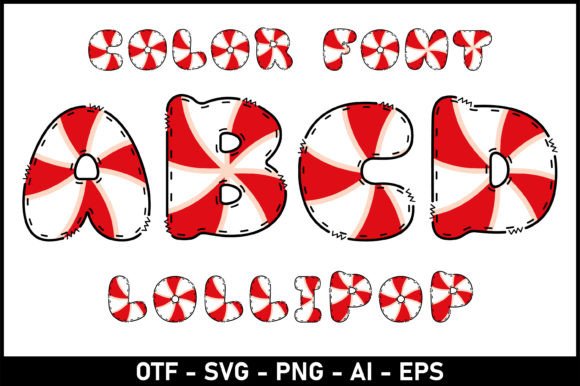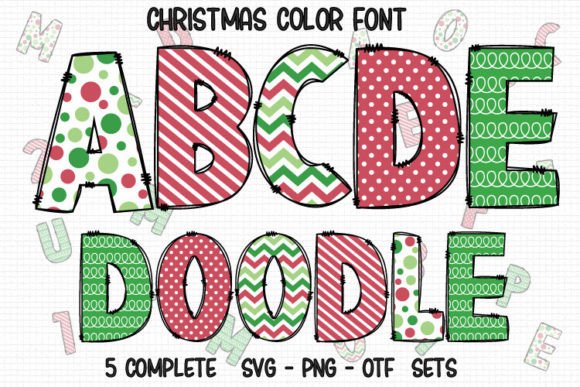
10 Color Font: Bold, Playful, and Uniquely Yours
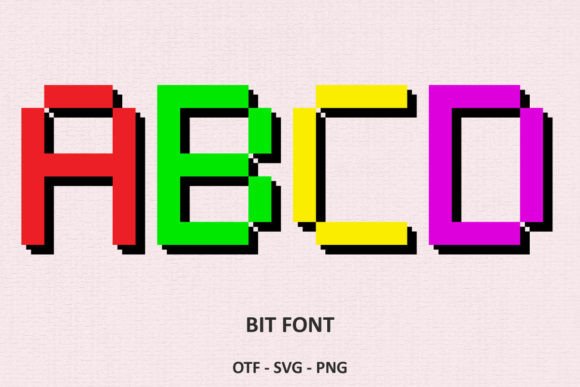
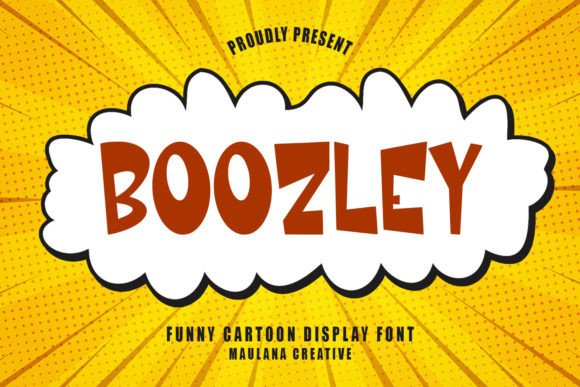
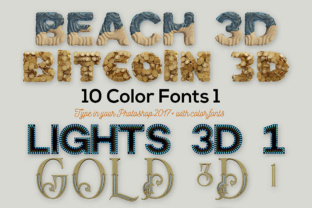
Imagine a typeface that doesn’t just spell words but paints them with layers of vibrant detail—welcome to the world of color fonts. The 10 Color Font collection takes this concept further, offering ten distinct SVG-based typefaces that blend typography with built-in color palettes, gradients, and textures. These are not your standard black-and-white fonts; each character carries its own hues, shadows, and highlights, making every word a miniature artwork. Whether you’re a graphic designer building a brand identity or a content creator crafting eye-catching social media graphics, these playful typefaces will add unique additions to your display fonts toolbox.
What Makes Color Fonts a Game-Changer for Graphic Design?
In traditional typography, you apply color manually after setting the type. Color fonts like the 10 Color Font series eliminate that step by embedding color directly into the glyphs. This means you can drop a single character and instantly get a multicolored letter with shading, gradients, or even patterns. For visual design projects that demand speed and consistency—such as logo design, merchandise mockups, or packaging design—this built-in color palette saves hours of manual layering. It also ensures that every use of the font maintains the same vibrant look, strengthening brand identity across all touchpoints.
Compatibility and Workflow Considerations
These OpenType-SVG fonts are optimized for professional presentation in Adobe Photoshop, Illustrator, Silhouette Studio, and Inkscape. They load as standard fonts, and the color layers appear automatically when you type. Important: the OTF and TTF versions included in the 10 Color Font pack are not compatible with Cricut Design Space. If you’re a Cricut user, you’ll need to work with the SVG files separately or use an intermediate tool like Inkscape to convert the font to a cut-ready format. For all other workflows, the installation is straightforward—just drop the files into your font folder, and your design workflow gets an instant upgrade.
Creative Applications Across Design Disciplines
The versatility of 10 Color Font shines in nearly every area of digital marketing and print design. Here are practical ways to integrate these playful typefaces into your projects:
- Branding and Logo Design: Use a single wordmark in a color font to create a memorable logo that doesn’t require extra graphic elements. The baked-in color palette ensures your brand colors stay consistent across business cards, websites, and packaging.
- Social Media Graphics: Stand out in crowded feeds with headlines that pop without adding filter layers. A color font instantly gives your Instagram stories or Pinterest pins a modern, handcrafted feel.
- Editorial and Web Design: For UI design and editorial layouts, a color font can act as a visual anchor—use it for pull quotes, section titles, or call-to-action buttons to improve visual hierarchy.
- Packaging and Merchandise: Create unboxing experiences that feel premium. Color fonts on product labels or T-shirt prints look like they’ve been professionally illustrated, even with a one-color screen print.
- Advertising Campaigns: Capture attention in print ads or digital banners with typography that doubles as illustration. The built-in shading can mimic 3D effects or neon glows, adding depth without extra software tweaks.
Enhancing Communication Through Visual Elements
Effective visual communication relies on a balance of type, color, and composition. 10 Color Font simplifies that balance by merging typography and color into one asset. When you choose a font from this collection, you’re also selecting a predetermined color palette and mood. Some faces lean into playful, candy-colored gradients; others use muted, organic tones perfect for modern aesthetics. This built-in synergy helps maintain a cohesive look across your creative projects, especially when you’re working quickly and need to avoid color-matching errors.
Consider user experience (UX) in digital products: a bright, multicolored heading can guide the eye to a primary action, while a more subdued color font might support secondary content without overwhelming the reader. The key is to treat these fonts as design elements, not just type. They work best when used sparingly—a single word or short phrase—to create focal points that improve readability and engagement.
How to Select and Use Color Fonts Effectively
With ten unique styles in the 10 Color Font set, choosing the right one depends on your design goals and audience expectations. Here are a few tips:
- Match the mood: Assess the brand identity you’re building. A font with glittery gold gradients suits luxury packaging, while a rough chalk-texture font works for rustic, handmade brands.
- Test readability at scale: Color fonts often have intricate details that get lost at small sizes. Reserve them for headlines or logos, not body text. For web design, check how the font renders on mobile screens—some browsers still handle SVG fonts inconsistently.
- Layer with awareness: When combining a color font with other design assets, avoid competing patterns or overly busy backgrounds. Let the built-in colors breathe. Use negative space to give each letter room to shine.
- Consider design inspiration: Look at how other creatives have used similar fonts in logo design or editorial spreads. The best applications feel intentional, not accidental.
Pairing Color Fonts with Your Existing Toolkit
Color fonts are a fantastic addition to your creative assets library, but they work best when integrated with a thoughtful design system. For example, if your brand uses a strict two-color palette, choose a 10 Color Font that incorporates those exact hues. If you’re working on a one-off project like a poster, feel free to experiment with a font that introduces a new accent color—this can inject fresh design trends into your work without committing to a full rebrand. Always preview the font on a white background and on a dark background, as the built-in transparency may interact differently with your intended color palette.
Finally, remember that the 10 Color Font package is an OpenType-SVG format. If you’re exporting files for print, ensure your software can rasterize the color layers correctly. For screen-based work, the fonts are generally plug-and-play. A quick test print or export will confirm that the gradients and shadows match your expectations.
Thoughtful design choices have the power to elevate a simple message into a memorable visual experience. Tools like the 10 Color Font collection give you a shortcut to that polished, professional result—saving time on manual coloring while unlocking a playful, vibrant aesthetic that resonates with modern audiences. Whether you’re crafting a logo, building a website, or designing packaging for a new product, these font sets remind us that typography can be just as expressive as any illustration. Embrace the color, let the letters lead your next project, and watch your visual storytelling come alive.